Integration Checklist Overview
Before submitting your integration to Flex Pay QA for final review, work through the checklist below. A thorough self-check accelerates the onboarding process and gets Flex Pay live for your customers faster.
If you have questions or challenges, reach out to your Flex Pay Account Manager and/or Integration Lead.
Non-Payment Page
Verify that Pay Monthly messaging appears in all agreed placements.
- Have you placed
<up-from-pricing>components with correctprice-valuein every agreed location? - Does clicking/interacting with a pricing component open the information modal?
- Does pricing update correctly after each
window.Uplift.Payments.load(orderInfo)when the customer changes their selections? - Do non-qualifying orders hide the component when the amount is below the configured threshold?
- On CSS-heavy pages, does the Shadow DOM output render correctly without host-page style interference?
For example, when an itinerary exceeds $15,000 and the component is configured as total, no From Pricing should appear. If price-type is set to a non-total value, visibility follows the configured behavior rules.

📘 Check with your Account Manager for account-specific thresholds (minimum/maximum order values, booking windows, etc.).
Payment Page
Verify that the Pay Monthly Selector and iFrame appear in agreed locations per your business team's design.
- Have you implemented Pay Monthly selectors following the configuration guidelines?
- Is traveler/billing information sent correctly and pre-filled in the Flex Pay iFrame?
- If the payment page also displays
<up-from-pricing>components, are they synchronized withorderInfo.order_amount?
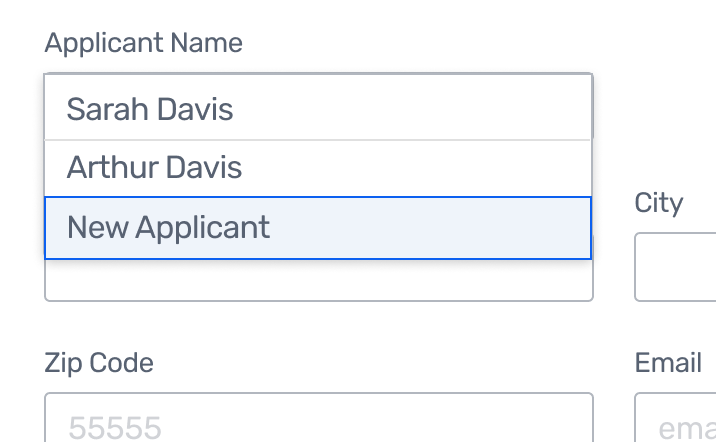
- Is customer information sent correctly to the iFrame (including traveler details for minors where applicable)?
- If add-ons or insurance are included, is the total reflected correctly in the loaded order?
Behavior for the Pay Monthly Option
- On selecting Pay Monthly, are credit card and billing fields hidden from the user?
- On selecting Pay Monthly, does the iFrame open and present the Flex Pay application?
- Is the Pay Monthly option shown with the correct pricing when the itinerary qualifies?
.png)
- Is the Pay Monthly option disabled and shown as "Unavailable" when the itinerary does not qualify?
.png)
Confirmation Page
- Is the Flex Pay virtual card number hidden from the user?
- Is the API confirmation call fired with the correct confirmation code?
- Is
window.Uplift.Payments.confirm(confirmationData)executed correctly?
⚠️ All prices must be expressed in cents (integer). Be careful with JavaScript floating-point arithmetic.
From Pricing Regression Checks
Run these additional checks if your integration uses <up-from-pricing> components:
- Multiple
<up-from-pricing>components on the same page all update from a singleload(orderInfo)call. - Tooltip and modal interactions work correctly after route transitions (SPA).
- No host-page CSS overrides break From Pricing rendering (Shadow DOM isolation).
- Dynamic price changes (e.g. adding insurance, changing room type) cause all visible components to re-render with updated offers.
- Components hide correctly when offers become unavailable after an order change.
- Components with
show-error="true"display the error state and tooltip when offers are unavailable.